Configuring and using sing-box
Most proxy clients follow the same flow: import a profile, pick a server, then start the service.
sing-box supports many protocols, including TUIC, VLESS, VMess, Trojan, Shadowsocks, ShadowsocksR, SOCKS and Hysteria2. Each has its own characteristics and best-fit scenarios, so choose the one that matches your needs.
1. Import a profile
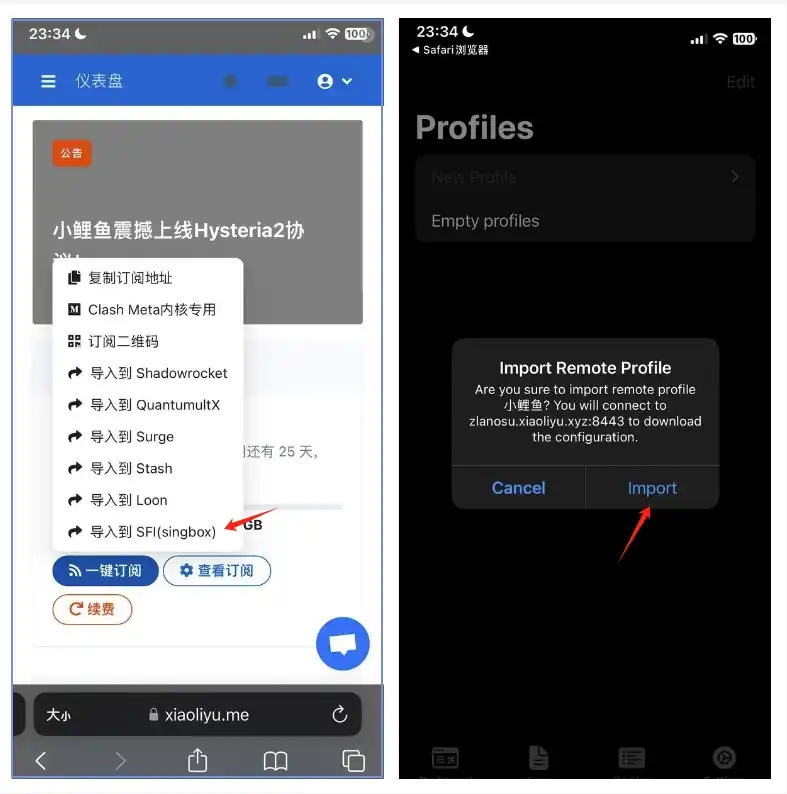
Import the profile from your provider — many providers offer a one-click import for sing-box. If yours does not, copy the universal subscription URL, open the Profile screen in sing-box and tap New Profile.
2. Create the profile
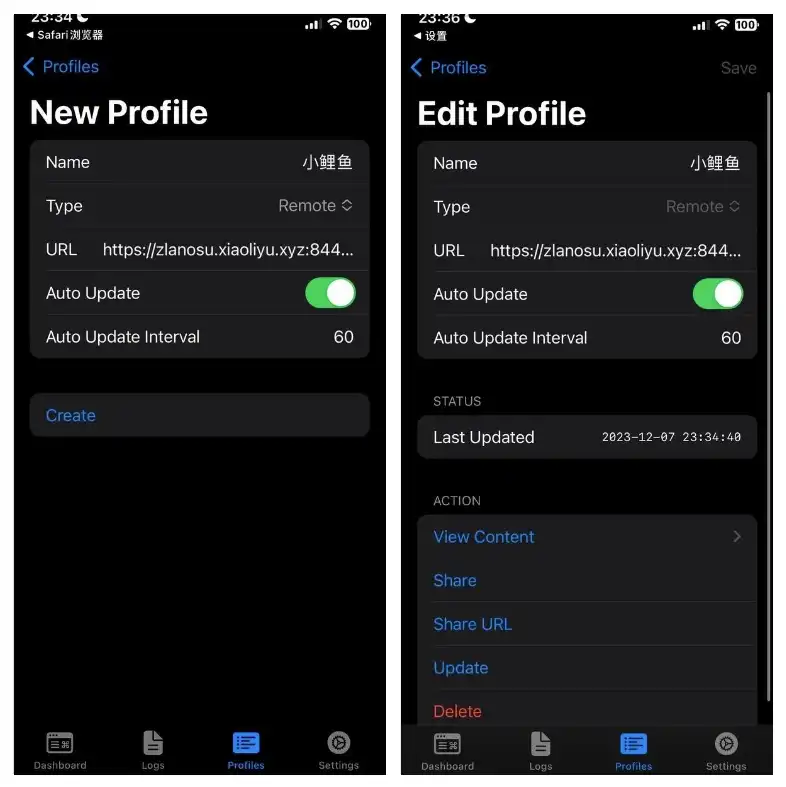
After filling in the form, tap Create. When importing manually, set Type to Remote, paste the subscription URL into the URL field, enter a name, enable automatic updates, then tap Create.
3. Start the service
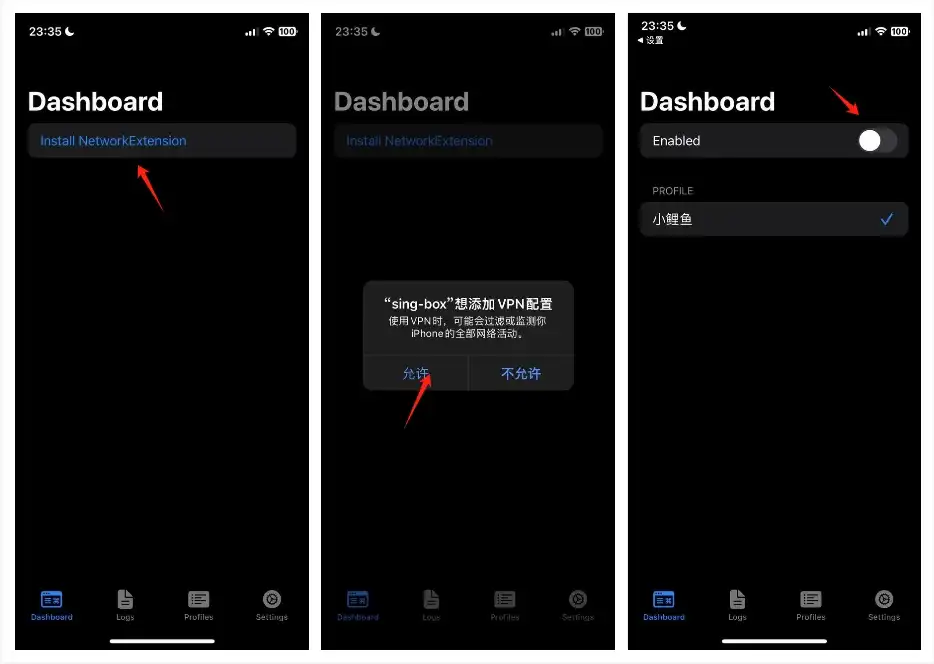
Start the service before selecting a node — the connection only works once sing-box is running properly.
4. Select a node
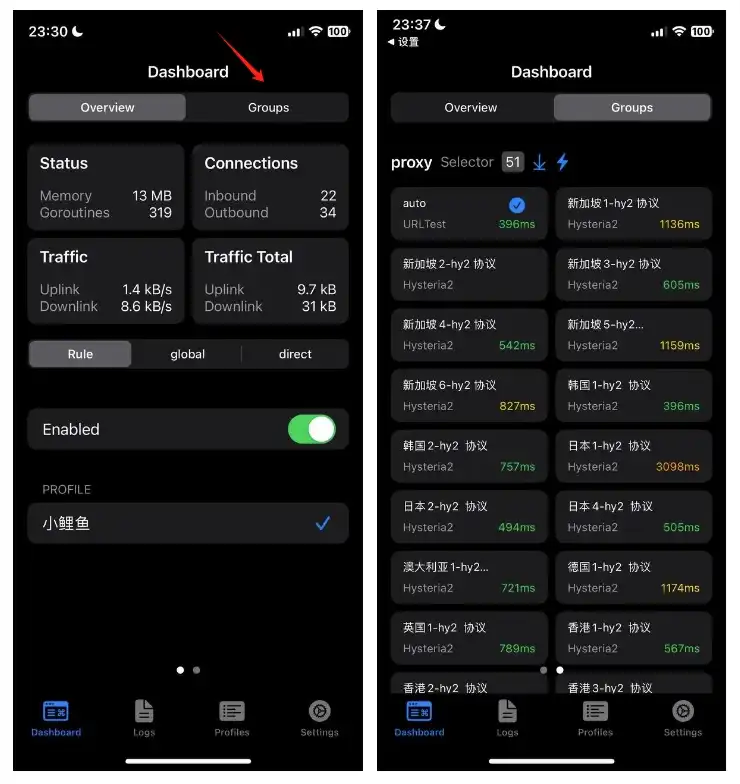
Once connected, use the Group selector at the top to pick a node. On iOS, tap the arrow to expand the node list; the Android client offers the same selection.